
Tool assessment · Assessed 10 August 2026 · 14 min
n8n vs Make: why I choose n8n for product-marketing workflows
AI gets me to a runnable n8n draft quickly. The reason I stay is what happens next: inspect the failure, fix it and run the workflow again.
Tools covered: n8n / Make
First-pass estimate: Half a day for a narrow pilot
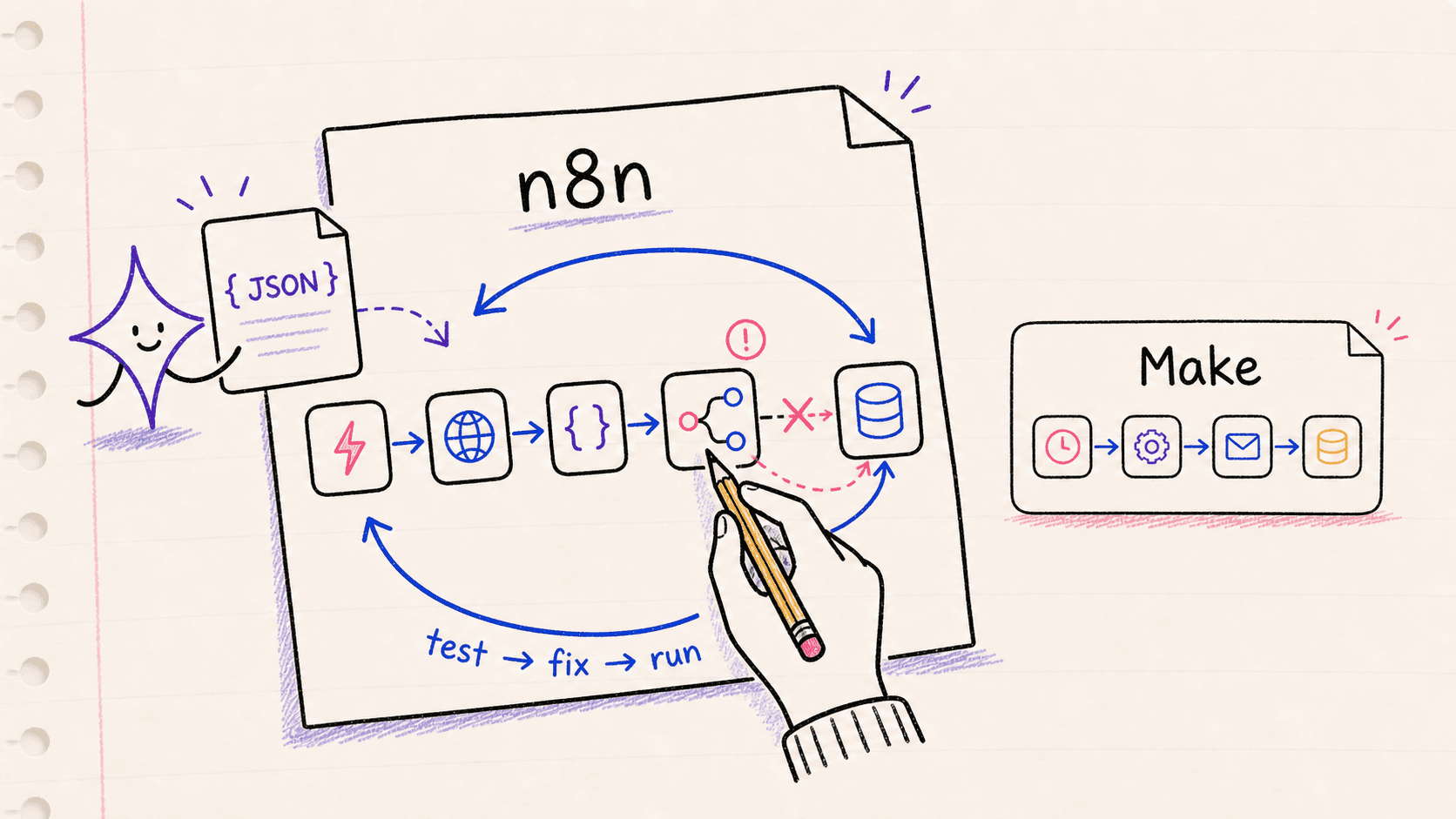
I keep coming back to n8n.
Make is easier to understand in the first ten minutes. Pick an app, choose a trigger, add a few modules and watch the bubbles move across the screen. For a short automation, that is often exactly what I want.
But most of the workflows I want to build do not stay short. They need an API that is not quite covered by a standard connector, a bit of code, somewhere to keep state, or a recovery path for the run that fails halfway through. That used to make n8n feel like the more demanding choice. AI has changed the calculation for me.
I can describe the job, ask AI for a first pass at the n8n workflow JSON and import it. Then I connect the credentials and run it. The first version is rarely right. A field is missing, an expression points to the wrong item, the API response is not shaped the way the draft assumed. Good. I now have a real error to work on instead of a blank canvas.
I don’t expect AI to hand me a production workflow. I expect it to get me to the first test quickly. From there I can inspect what happened, fix one thing and run it again. That is why I prefer n8n.
I would still choose Make for a smaller automation that will be handed to someone who wants a clear visual flow and has no interest in debugging it. The eventual owner matters more than the feature list.
For this comparison, I use one product-marketing workflow throughout:
Monitor approved competitor pages, keep the old and new source, classify meaningful changes with AI, ask a person to review the finding and publish an evidence-backed brief.
The product details below come from vendor documentation reviewed on 10 August 2026. I haven’t run a controlled head-to-head benchmark, so I finish with the test I would run before putting either version into production.
Where I land
| What the workflow needs | My pick | Reason |
|---|---|---|
| State, loops and several failure paths | n8n | It gives me persistent project data, pause-and-resume and reusable error workflows. |
| An approval before an AI tool acts | n8n | A reviewer can block a selected AI tool call before it runs. |
| A short flow between familiar SaaS apps | Make | It is quick to assemble, easy to scan and good at repairing a failed module. |
| Full control over hosting | n8n | The platform can be self-hosted. Make cannot. |
That table is the short answer. The harder question is what happens after the attractive demo, when a page returns an error, the model times out or a reviewer rejects the result.
A five-module demo won’t answer this
The companion competitor website monitoring workflow starts with an approved list of sources. It fetches each page without bypassing access controls, normalises the permitted content and compares it with the last accepted snapshot.
When something material has changed, the workflow keeps both versions. An AI model classifies the difference and points to the passages behind its conclusion. A product marketer then approves or rejects the brief. Only an approved finding is published.
Moving a lead from one app to another does not tell you much about how a platform handles that job. This workflow has to remember what it saw last time. It has to wait for a person. A retry cannot create a second alert or overwrite the evidence. Those awkward cases are what I want to compare.
AI gets me to the first broken version
n8n stores workflows as JSON and can import them from a file or URL. Its AI Workflow Builder creates, refines and debugs workflows from a plain-language description. The newer n8n MCP server lets external AI tools build and test workflows inside an n8n instance.
Make also supports JSON blueprints. A scenario can be exported, copied into an LLM and imported again. So JSON itself is not the reason I choose n8n.
The difference appears when the generated draft reaches the edge of what the connector expects. In n8n I can open the HTTP Request node, see the raw response and adjust it. I can write a small JavaScript or Python step. If a node fails, I can give AI the input and the exact error instead of asking it to guess from a description.
My build loop is ordinary. I start with two or three records, connect credentials myself and inspect the output of every important node. I change one thing at a time. Once the happy path works, I make the source return bad data, force a timeout and reject the approval.
Generated JSON is scaffolding. It may refer to the wrong node version, leave out a required option, invent an ID or mishandle pagination. I check those things before the workflow can touch a live system. AI saves me setup time. I still do the checking.
The first failure tells me more than the canvas
The competitor workflow needs to remember the last accepted snapshot and resume the correct run after review. n8n’s Wait node pauses an execution with its data intact. Project-scoped Data Tables can hold modest amounts of persistent data; n8n documents a default total limit of 200 MiB, so I would not treat them as a warehouse.
Make has routers, If-else and Merge, and Data Stores. It can implement the same broad process. The route design needs care, though, particularly when one branch has already caused an external side effect before another branch fails. Make currently labels If-else and Merge as open beta.
Recovery is where Make deserves credit. Its incomplete executions queue lets an operator inspect a failed run and retry from the failed module. For a straightforward scenario, that is a very good experience.
n8n fits the way I work when the recovery logic is part of the workflow. It supports reusable error workflows and lets me retry using the saved or current workflow version. I can also load data from an old execution into the editor. When a node fails, I have its input, output and error in one place. I paste the useful parts into the next AI prompt, change the node and rerun it. See n8n’s execution list and error workflow guidance.
Neither tool makes retries safe automatically. If the model call times out after the source snapshot is stored, the next attempt must not create another finding. I would give each finding a stable identifier and check it before sending an alert, publishing a brief or replacing accepted evidence.
I will not put approval inside the prompt
n8n documents a human review step for AI tool calls. You can choose which tools need approval, and the reviewer can approve or deny the proposed action through channels including Slack, Microsoft Teams, Gmail and Outlook. The request shows the tool and the parameters the model wants to use.
Make describes review patterns for AI agents, including sending output to a collaboration channel and telling the agent to wait. Its own AI agent guidance also warns that an agent may misunderstand or ignore guardrails.
For a draft summary, that difference may not matter. It matters when the model can publish a competitor claim, update a CRM record or contact someone. In Make, I would put that action behind a separate approval record that normal scenario logic can verify. I wouldn’t rely on an instruction in the agent prompt.
I am happy for AI to write a code node. I am not happy for it to publish an unsupported claim. n8n’s metric-based evaluations are useful here because a prompt or model change can be tested against known examples. The evaluation set for this workflow should include real page changes, irrelevant edits, duplicate signals and ambiguous evidence.
Make is easier to hand over
There is a version of this workflow I would build in Make without hesitation: a few known sources, a small number of modules, a draft sent to a person and no agent-controlled external action. A marketing operations manager can read the scenario quickly, and the incomplete-execution queue makes a failed module less intimidating.
n8n’s extra room only helps if somebody wants to use it. If the person inheriting the workflow doesn’t want to inspect node data, adjust an expression or think about retry behaviour, my preference for n8n is irrelevant. I would rather hand over a modest Make scenario that gets maintained than an ambitious n8n workflow that everybody avoids.
Observability follows the same pattern. Make’s scenario history shows status, duration, operations, credits, transfer size and individual bundles. Scenario replay can run old trigger data through the current scenario. n8n gives me filterable execution history, inputs and outputs, plus an Insights view for runs, failures, run time and configured time saved. Self-hosters have to set retention and pruning deliberately.
The test is simple: ask the intended owner to find one competitor’s failed run, show the source that was used and confirm whether a brief was published. A dashboard tour won’t answer that.
Cost and hosting need the actual workflow
Two shortcuts produce bad comparisons. The first is assuming n8n must be cheaper because it can be self-hosted. The second is comparing Make’s credits with n8n’s executions without drawing the workflow.
n8n’s paid plans currently count complete workflow executions rather than individual nodes. Make charges credits for module activity, and the number of bundles passing through iterators can change the total. External model calls may add separate token costs in either tool. A long run that touches many records can therefore favour n8n, but frequency still matters: polling every five minutes creates roughly 8,600 to 8,900 runs in a month before retries.
I would price the accepted design, including the months when nothing changes. Count the scheduled runs, records, retries, AI calls, storage and the time spent keeping it alive. The entry price on the plan page says very little on its own. See the current n8n pricing, Make credit documentation and Make pricing.
I don’t treat self-hosting as a discount code. It gives n8n an advantage when network placement or data control matters, but someone must own upgrades, backups, TLS, secrets and monitoring. The n8n community edition also leaves out projects, environments, single sign-on, external secrets and log streaming.
Make is managed in an EU or US region selected for the organisation. Its on-premise agent lets a cloud scenario call services on a local network; it doesn’t move the Make platform on premises.
For sensitive interviews, sales calls or private competitive evidence, I would map the exact route through the automation platform and model provider before choosing either one.
The test I would run
I would give the same written specification to the same AI assistant and ask for an n8n workflow JSON and a Make blueprint. After connecting credentials manually, both versions would get the same small set of permitted sources, the same model, the same evidence format and the same approval channel.
Then I would break them:
- Return a 429 response from a source.
- Return an empty or malformed page.
- Time out the model after the snapshot has been stored.
- Reject the proposed brief.
I would record the time to the first runnable version, the corrections needed after import, the number of attempts before all four failures behave properly, the cost of the finished run and whether the intended owner can recover it without me.
A pretty canvas tells me very little. I want to know what the automation did after a bad day.
What I would choose
For this workflow, I would choose n8n. It can hold the snapshot state, pause for approval and show me where a run failed. AI helps me get to a runnable draft and helps me repair it. I am comfortable with the trial and error because each run gives me evidence for the next one.
I would choose Make for the smaller, marketer-owned version. If the eventual owner doesn’t want to inspect failed nodes, I won’t hand them n8n simply because I enjoy building in it.
Want help building the first safe version?
The AI Product Marketing Operations service starts with the decision, data boundary and intended owner before selecting a tool. For competitor evidence specifically, see Continuous Market Intelligence.